
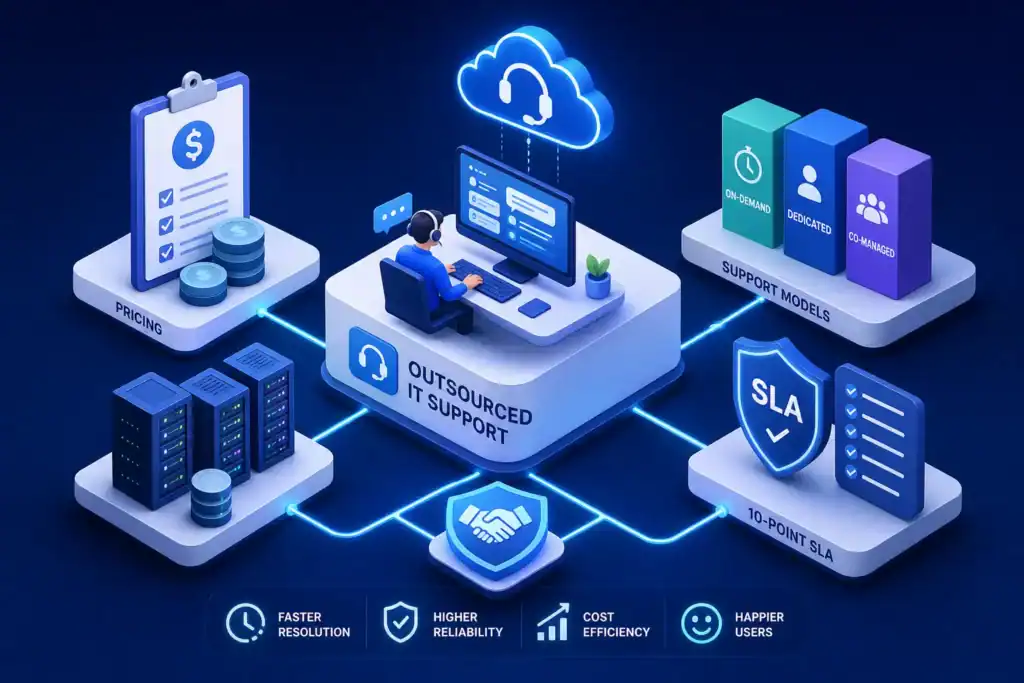
Outsourced IT support is the decision many SMEs weigh against hiring in-house. You want uptime, predictable costs, and a partner that can move fast when things break, and even faster to stop them from breaking in the first place. This guide covers the 2026 landscape: clear service models, realistic pricing ranges, a practical 10-point SLA checklist, and a clean RFP template you can use to compare providers side by side.
Dynamix Technology Solutions (DTS) is a Kent-based managed service provider that works as a full IT department for growing teams. We combine proactive monitoring, a responsive helpdesk, on-site support, cybersecurity, connectivity, and VoIP so you deal with one accountable partner rather than a patchwork of vendors. Use this article to decide whether IT outsourcing services are right for your business, then borrow our templates to choose a provider with confidence.
Is outsourced IT support right for your business?
Symptoms that signal it is time to outsource
Outsourcing becomes the logical move when day-to-day firefighting crowds out strategic work. Recurring downtime, a tangle of unintegrated tools, and shadow IT are strong indicators that your current setup is overstretched. Combine rising cyber risk with missed project deadlines, and the case for a managed service desk becomes harder to ignore.
- Tickets queue for days or get stuck with a single person.
- Staff install their own apps to get work done.
- Updates and patches lag behind for weeks.
- Backups are unclear, untested, or both.
- Phishing and malware attempts are increasing.
- Growth projects stall because support fires consume engineering time.
If several of these apply, remote IT support and IT helpdesk outsourcing will likely reduce risk and free up meaningful internal capacity. The more symptoms that are present, the stronger the case for acting sooner rather than later.
Co-managed IT vs fully outsourced: choose your model
Co-managed IT works best when you already have an IT manager or small internal team that knows the business but lacks breadth or out-of-hours coverage. The MSP handles helpdesk, patching, monitoring, and escalations, while your team owns strategy, vendor approvals, and business-critical systems. Communication is structured around weekly check-ins, a shared ticket queue, and quarterly roadmap reviews, with SLAs applying to the MSP-owned layers.
Fully outsourced support suits teams with no internal IT capacity or where the goal is a single accountable partner across the board. The MSP operates as your IT department, from endpoint protection and Microsoft 365 administration to backup, recovery, and vendor management. Many MSPs at this level also provide a named service manager, monthly reporting, and governance meetings to keep priorities and performance visible throughout the contract.
The practical rule: keep strategy and specialist line-of-business applications in-house if that strength exists. Hand off operations and round-the-clock vigilance to a provider built for it. Matching the model to your growth stage avoids paying for coverage you cannot absorb or underestimating the cover you actually need.
Why a local MSP matters in Kent
Local presence can translate into faster on-site response, sharper context, and easier day-to-day collaboration. A Kent-based provider is also more likely to be familiar with UK GDPR obligations, sector-specific requirements such as school safeguarding frameworks, and regional hardware suppliers who can turn around replacements quickly.
DTS provides managed IT support and on-site assistance across Kent and the South East, working with SMEs and schools under clearly defined SLAs and practical security controls. Our aim is measurable outcomes, not just a closed ticket count.
What you gain with an MSP: cost control, expertise, uptime
Cost comparison vs hiring in-house
Hiring carries salary, pension contributions, training, tooling, and holiday cover. Outsourcing consolidates those costs into a single monthly fee with a broader skill set included. Many organisations report lower IT operating costs after moving from in-house generalists to managed support, figures cited in industry commentary typically range from 20 to 40 percent, though outcomes vary with contract scope and organisation size. Better coverage and fewer single points of failure tend to accompany those savings.
For budgeting purposes, compare the fully loaded cost of an internal generalist against an MSP proposal covering helpdesk, monitoring, security tooling, backup, and vendor management. As a rough working example for a 25-user firm in 2026, an all-in monthly range of £1,500 to £2,500 for standard coverage (excluding major projects) is broadly consistent with UK market pricing, though you should request line-item proposals from shortlisted providers to validate any figure against your specific environment. This kind of fixed commitment typically replaces unpredictable ad hoc spend with one clear line item in the budget. For broader market context you can consult a UK managed IT services pricing guide.
Specialist skills on tap, from Microsoft 365 to cyber
A strong MSP delivers endpoint protection, patch management, Microsoft 365 administration, identity and access control, backup and recovery, and vendor management through a single contract. Fewer moving parts means faster decisions and clearer accountability. You also get tested processes for onboarding new starters, offboarding leavers, and managing device lifecycle, so security posture stays consistent even as headcount changes.
DTS works with specialist tooling partners for monitoring and automation, email security, Microsoft 365 backup, and endpoint protection. The goal is enterprise-grade capability configured to small-business reality, with our engineers running the day-to-day so nothing falls through the gaps.
Proactive monitoring equals fewer outages
Round-the-clock monitoring, alerting, and preventative maintenance reduce both the frequency of incidents and the time required to fix them. Automated patching, firmware updates, and early warning on disk capacity, expiring certificates, and lapsing licences stop many outages before they reach users. Industry commentary and vendor research consistently attribute significantly lower rates of unplanned downtime to proactive managed services compared with reactive break-fix arrangements, some published figures suggest reductions of 80 percent or more, though results depend on environment complexity and baseline maturity.
The practical effect is straightforward: staff spend more time serving customers and less time waiting on IT. Management gains a clearer picture of risks, trends, and progress, which helps both planning and compliance conversations.
Real-world scenario: a 15 to 30 user office
Without an MSP, one person typically juggles all tickets. Patches slip because the phone never stops. Password resets interrupt more complex tasks, and strategic projects drag as urgent interrupts pile up throughout the week.
With MSP-led operations, automated patching runs on a weekly schedule, backups are verified daily, and a documented workflow routes tickets by priority. Standard requests land with the service desk; a senior engineer owns complex issues and vendor escalations. Many organisations in this size range report recovering a meaningful number of staff hours per quarter, time previously lost to avoidable friction, though the exact figure depends on your current setup and the scope of the contract you put in place.
How outsourced IT support is priced in 2026
Per-user pricing: when headcount drives cost
Per-user models bundle support, monitoring, security tools, and Microsoft 365 administration around each person. Typical 2026 UK market ranges sit broadly between £40 and £150 per user per month. Basic helpdesk-only cover starts at around £40 to £55, standard packages with proactive management and security tooling sit between £55 and £90, and premium tiers with 24/7 cover, compliance reporting, and named account management run from £100 to £150 or more. This model fits most office-based teams where needs scale naturally with headcount. See a practical perspective on per-user IT support pricing in the UK.
Add-ons such as advanced security, after-hours support, and compliance reporting push the per-user figure higher. The advantage is that new hires and leavers keep budgets automatically in sync with staff changes: you pay for what you use rather than a fixed block of licences.
Per-device pricing: fit for mixed asset estates
Device-led pricing suits warehouses, retail sites, or environments with many shared endpoints. Typical 2026 UK ranges are around £15 to £35 per workstation per month and £100 to £300 per server per month, with network devices usually priced separately at £10 to £20 each. Remote devices and BYOD arrangements usually limit scope to managed software or approved containers, keeping risk boundaries clearly defined.
This model rewards tidy asset management and precise scope documentation. Where devices multiply without headcount changing at the same rate, per-device pricing often delivers better cost control than a per-user alternative.
Flat-fee tiers: certainty with clear scope
Tiered packages provide a fixed monthly fee for a defined environment. Entry tiers for small setups typically start between £400 and £1,500 per month, scaling to roughly £1,000 to £2,500 for 10 to 25 staff and £2,500 to £5,000 or more for 26 to 50, depending on coverage depth. All-inclusive rarely means everything, projects, new-site deployments, and compliance audits are usually outside scope and priced separately.
Always request a line-item breakdown so you know exactly what is and is not included. That clarity avoids scope disputes later in the contract term.
What pushes price up or down
Pricing shifts with several variables: support hours required, security depth, compliance reporting obligations, backup and disaster recovery testing, number of sites, age and diversity of equipment, and how quickly you need changes delivered. A useful first filter when shortlisting is to multiply your user count by a per-user midrange estimate, add the specific extras you know you need, then factor in onboarding. That gives you a defensible baseline for comparing IT outsourcing services on value rather than guesswork.
What good looks like: the 10-point SLA checklist
Priority tiers and response targets that matter
Clear severity levels keep both sides aligned from day one. P1 critical incidents should receive acknowledgement within 15 to 30 minutes, P2 high-priority issues within 1 to 2 hours, and P3 standard requests within 4 to 8 business hours. Response means an engineer has acknowledged the ticket and begun diagnosis, not simply that an automated confirmation was sent. For practical guidance on setting realistic goals, review MSP advice on MSP response times.
Resolution times and restoration commitments
Resolution targets measure how quickly normal service is restored, not just when a ticket is acknowledged. For P1, target resolution within 4 hours or continuous best-effort work until closure. P2 should resolve same day or by the next business day; P3 routine tasks within 3 to 5 business days. Where third-party vendors are involved, the SLA should clearly state how handoffs are managed and what escalation paths exist.
Uptime, monitoring, and communications
Uptime targets of 99 to 99.9 percent are standard in most MSP contracts, paired with 24/7 monitoring and defined escalation windows. During active incidents, expect time-bound updates at agreed intervals until closure. Post-incident reviews, covering root cause and remediation steps, convert outages into process improvements rather than repeated problems.
The 10-point SLA buyer’s checklist
- Clear severity definitions with worked examples.
- Response targets for each priority level.
- Resolution or restoration targets per priority.
- Uptime target, scope, and documented exclusions.
- Time-bound escalation paths and named ownership.
- Incident communication cadence during active issues.
- After-hours and 24/7 coverage details.
- Monitoring scope and alerting rules.
- Service credits and remedies for missed targets.
- Reporting pack content and review cadence.
Avoid the gotchas: risks, lock-in, and contract must-haves
Security and privacy: build the right guardrails
Insist on least-privilege access, MFA on all admin paths, encryption in transit and at rest, and patch SLAs for operating systems and critical applications. Logging and audit trails should cover privileged activity with retention periods that meet your internal policy. Breach notification timelines, incident response cooperation, and evidence-preservation obligations must align with UK GDPR requirements, ideally written into the contract rather than left as implied commitments.
Lock-in and hidden costs: keep your exit clean
Data ownership must be protected in the contract, covering configurations, documentation, and logs. Define secure return or deletion procedures, transition assistance obligations, and fair offboarding rates before you sign. Include change-order rules, clear inclusive-pricing definitions, and early-termination terms so scope creep cannot quietly become bill shock at renewal. The contract should make switching providers a planned project rather than an emergency extraction.
People and process: who is touching your systems
Ask for disclosure and approval rights over subcontractors, background-check standards for engineering staff, and minimum training or certification requirements. Require role-based access controls and separation of duties to limit exposure. Retain audit rights so controls are independently verifiable, not simply stated in a policy document you never see again.
Business continuity: plan for bad days
Documented disaster recovery plans, defined recovery time and recovery point objectives, and regularly tested backups are non-negotiable. Your MSP should provide evidence of periodic restore tests and tabletop exercises. Their own organisational resilience matters too, from redundant tooling and on-call rotas to vendor escalation paths and geographic spread.
Shortlist smart: RFP checklist and evaluating providers
What to request in your RFP
Structure proposals around these categories to keep comparisons meaningful: your environment overview and business goals; scope of support across helpdesk, endpoints, network, cloud, and projects; support hours with response and resolution targets; monitoring and alerting detail; backup, recovery, and disaster recovery approach; security controls and compliance; reporting and review cadence; outsourced IT support onboarding process and documentation standards; references from organisations of similar size or sector; and a clear IT managed services pricing breakdown with assumptions and exclusions spelled out. If you need a practical reference for drafting requirements, see advice on how to write an RFP for outsourcing IT services.
Onboarding and the first 90 days
Ask each shortlisted provider for a structured onboarding runbook. It should cover discovery and asset capture, documentation standards, quick wins in the first two weeks, patch baseline establishment, backup validation and test restores, user communications and training, and a stakeholder cadence starting with weekly check-ins and a formal 90-day service review. Onboarding is where momentum and trust are established. A provider with a repeatable, documented process is a lower-risk choice than one offering a best-effort commitment.
Why DTS fits growing Kent SMEs
DTS delivers proactive managed IT support, cyber resilience, Microsoft 365 expertise, managed Wi-Fi, business broadband, and VoIP through one joined-up service. Our technology partnerships give clients enterprise-grade capability without the overhead of managing multiple vendors independently. We provide on-site response across Kent and the South East, including Business IT Support in Dover, clear SLAs, and the breadth of a full IT department structured around the cost profile of an SME.
We encourage you to compare providers rigorously using the RFP and SLA checklist above. DTS differentiates on responsiveness, scope clarity, and the transparency with which we document, measure, and improve service alongside our clients.
Next steps: compare, visit, and pilot
- Score proposals against your RFP categories and the 10-point SLA checklist.
- Run reference calls with similar organisations and ask specifically about onboarding and how month three looked compared with month one.
- Schedule a site visit to review documentation standards and meet the service team in person.
- Pilot a limited-scope project or security uplift to test working style before full handover.
To benchmark your current IT setup and explore whether outsourced IT support makes sense for your organisation, reach out to DTS for a no-obligation conversation. We will review your environment, confirm the most suitable model, and provide a transparent line-item proposal with no hidden assumptions.
Choosing the right IT support outsourcing arrangement is more straightforward with a clear framework in place. You now have the service models, 2026 pricing benchmarks, and a 10-point SLA checklist to assess quality and protect your interests. Approach the decision methodically, pilot before committing fully, and lean on a partner that delivers consistent costs, stronger security, and measurable uptime improvement.
If local accountability backed by enterprise-grade capability matters to you, Dynamix Technology Solutions is worth including in your shortlist. We will help you move from reactive firefighting to a resilient, proactive IT operation, with a plan, realistic budgets, and clear milestones from day one.